

Direct Storage 1.4 is a Microsoft technology that optimizes the flow of data between the SSD and the graphics card, allowing loading times in games – particularly in open-world titles – to be almost completely eliminated. At the heart of this version is support for the Zstandard codec (Zstd for short), an extremely efficient compression method.
Normally, the central processing unit (CPU) has to laboriously decompress game data before it can be displayed. With Direct Storage 1.4, this task shifts directly to the graphics card (GPU), which can perform the decompression much faster using Zstd codecs.
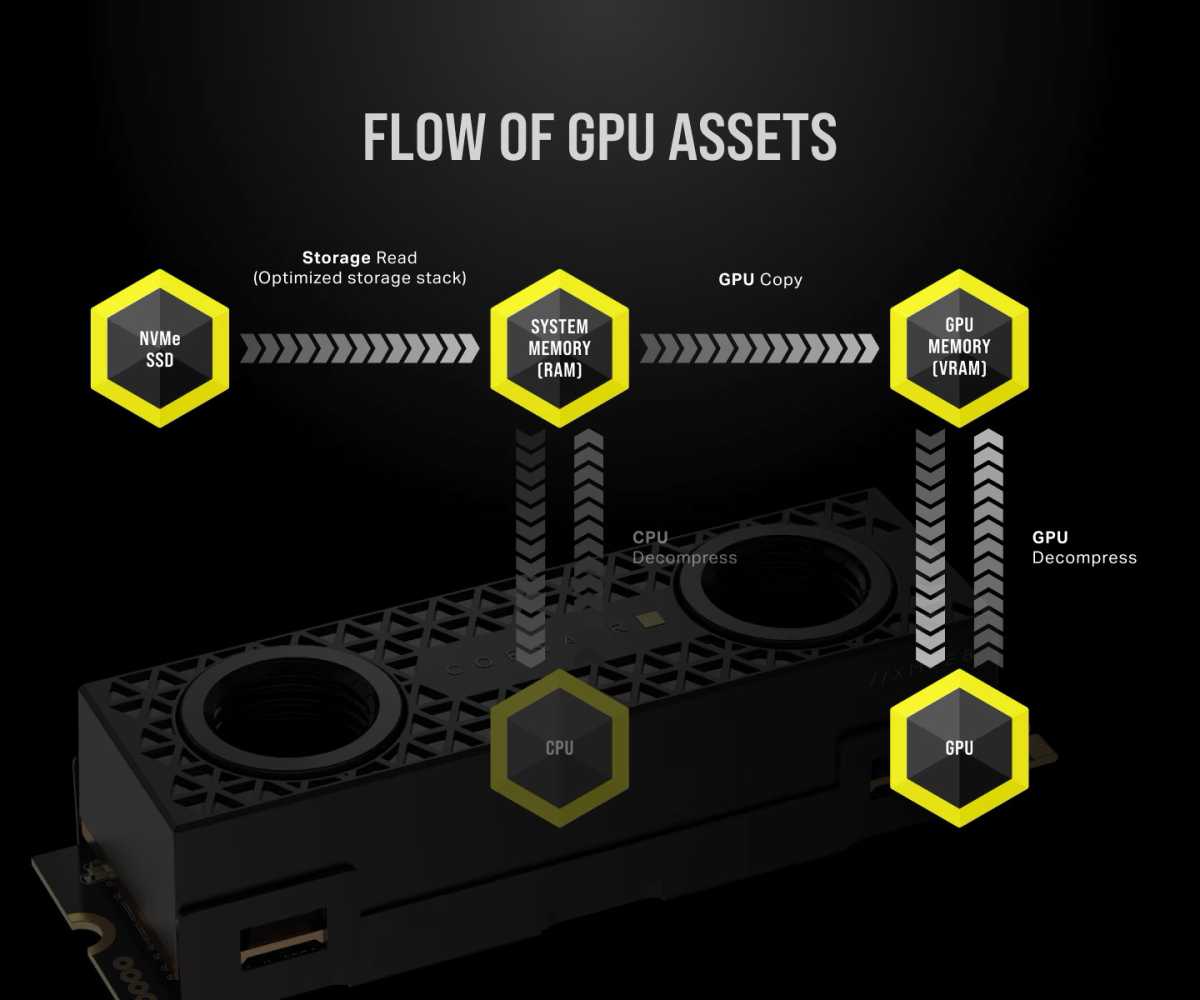
With Direct Storage 1.4 technology, the graphics processor handles the decompression. This works quickly thanks to highly efficient compression using Zstd codecs.
Corsair
For this to work, you must first enable Hardware-accelerated GPU Scheduling.
Only then will the graphics card be granted the necessary permissions to perform Zstd decompression.
To check whether your system is actually using this technology, Microsoft provides the GPU Decompression Benchmark tool. Because it’s a developer tool, you won’t find it in the Microsoft Store. Instead, search for the Direct-Storage-Samples project on GitHub and download the ZIP archive.
With a modern NVMe SSD, you should see values of at least 6 to 7 gigabytes per second (GB/s). If your value is significantly lower, your SSD is likely installed in an M.2 slot connected solely via the motherboard’s chipset. To achieve full performance, the SSD must be installed in the slot that communicates directly with the CPU. You can find the correct slot by consulting your motherboard’s manual.


